1. Introduction
Welcome to Rankd, your AI-powered job search command center. Rankd helps you discover jobs, evaluate opportunities with deep AI analysis, generate tailored resumes and cover letters, track applications, prepare for interviews, and manage your entire job search journey from a single platform.
What Rankd Does
- 7-Block Deep Evaluation: Blocks A through G cover Role Summary & archetype detection, CV Match & gap analysis, Level Strategy, Compensation Benchmarking, CV Changes & ATS keywords, STAR Stories, and Ghost Job Detection
- Tailored Resume Generation: AI rewrites your resume for each specific job description, producing ATS-optimized PDF and DOCX exports using evaluation insights as rewrite instructions
- Cover Letter Generation: Auto-generate personalized cover letters with HTML, PDF, and DOCX export, all stored and downloadable at any time
- Job Discovery & Portal Scanner: Two-level scanning with ATS APIs (Greenhouse, Lever, Ashby, Teamtailor) and Playwright-powered career page crawling, plus Seek/Indeed/LinkedIn search with real-time SSE streaming results
- Pipeline Inbox: Discovered jobs flow into a pipeline with statuses new, evaluated, applied (promoted), and skipped. Batch evaluate, proceed (auto-generates CV + cover letter), skip, promote to tracker, or demote back
- Ghost Job Detection: Block G flags suspicious listings with vague requirements, missing salary, or overly broad scope. Dashboard shows High Confidence, Proceed with Caution, and Suspicious counts
- STAR+R Story Bank: Auto-extract stories from uploaded resumes, get job-specific story recommendations, organize by tags/archetypes/skills, and regenerate individual stories
- Follow-up Tracker: Track follow-ups with date, channel, contact, and notes. Automatic urgency calculation: urgent, overdue, waiting, cold
- Career Profile System: 25+ fields defining your target roles, companies, compensation range, location preferences, deal-breakers, superpowers, narrative, and archetype preferences. Auto-extracted from resumes via LLM and injected into all AI calls for personalized results
- Application Tracking: Full CRUD with status workflow, search, filter, sort, archive, inline editing, and batch operations
- Analytics Dashboard: 10 interactive charts, 8 stat cards, ghost job statistics, archetype distribution tracking, and follow-up urgency breakdown
- Interview Preparation: 3-stage AI-generated prep (screening, technical, leadership/cultural) with async generation and editable content, plus live deep company research, custom notes and file uploads for context, and one-page battle-card PDF export
- Batch Processing: Evaluate multiple jobs at once with background progress tracking (Premium)
- Multi-Language Output: Set your preferred output language in your career profile for LLM-generated content
- 6 Color Themes: Light, dark, orange, blue, green, and purple themes
2. Getting Started
Creating an Account
Getting started with Rankd is free and takes just a few minutes:
- Visit www.tryrankd.com
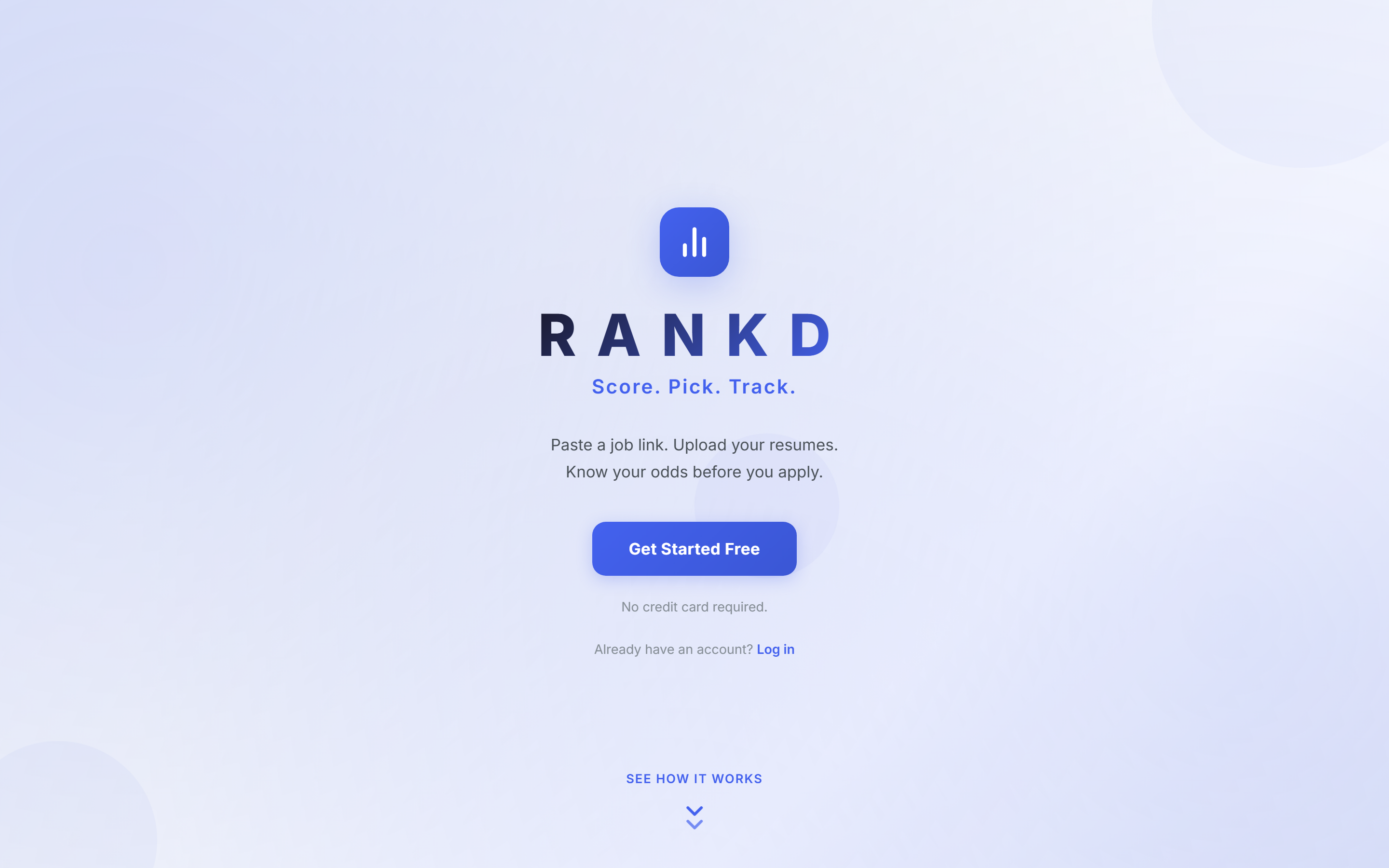
- Click "Get Started Free" on the landing page
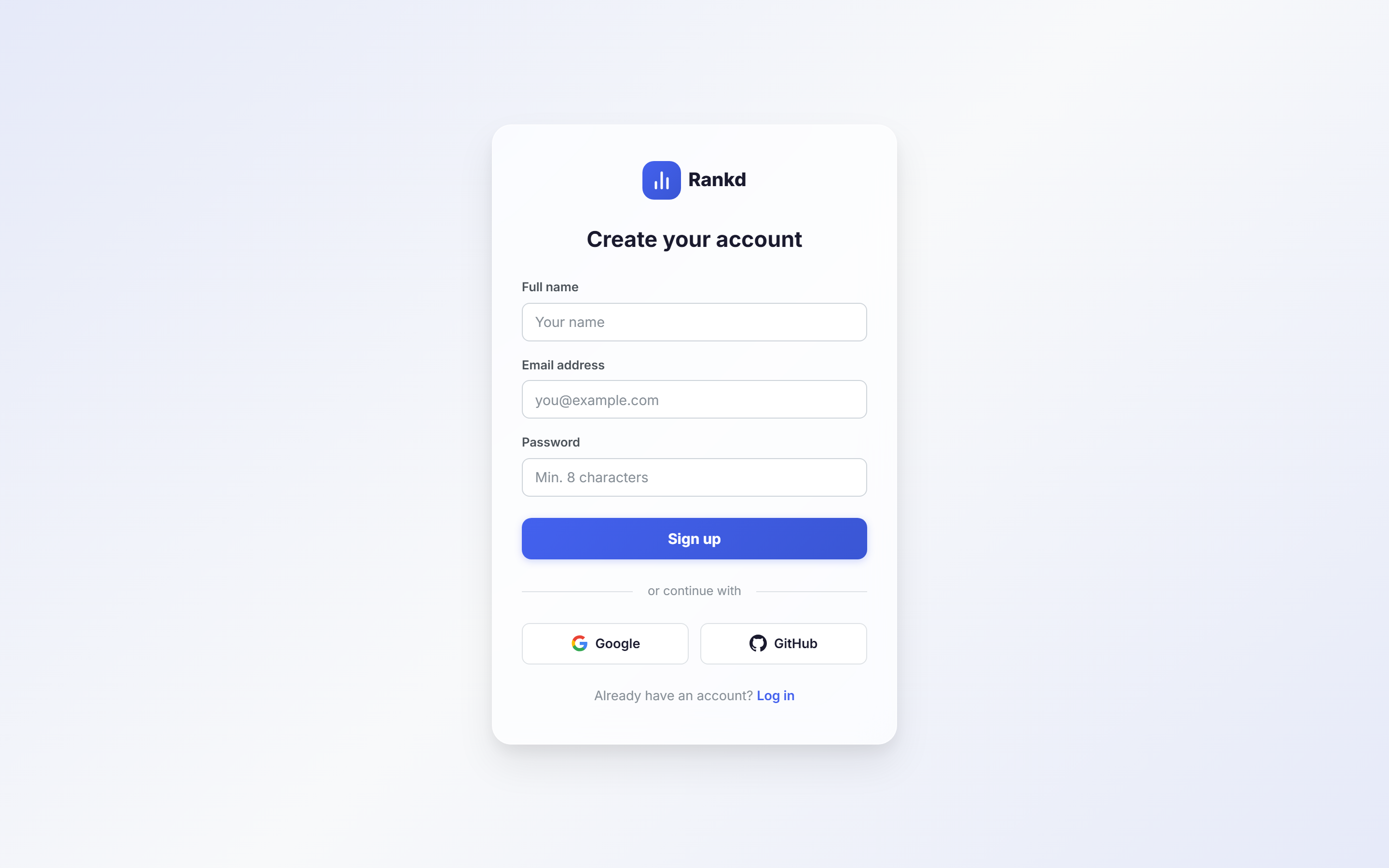
- Choose your sign-up method:
- Email/Password: Enter your name, email, and create a password (minimum 8 characters)
- Google OAuth: Click "Continue with Google" for one-click signup
- GitHub OAuth: Click "Continue with GitHub" for developer-friendly signup
- Verify your email address (for email signup)
Logging In
To log in to your Rankd account:
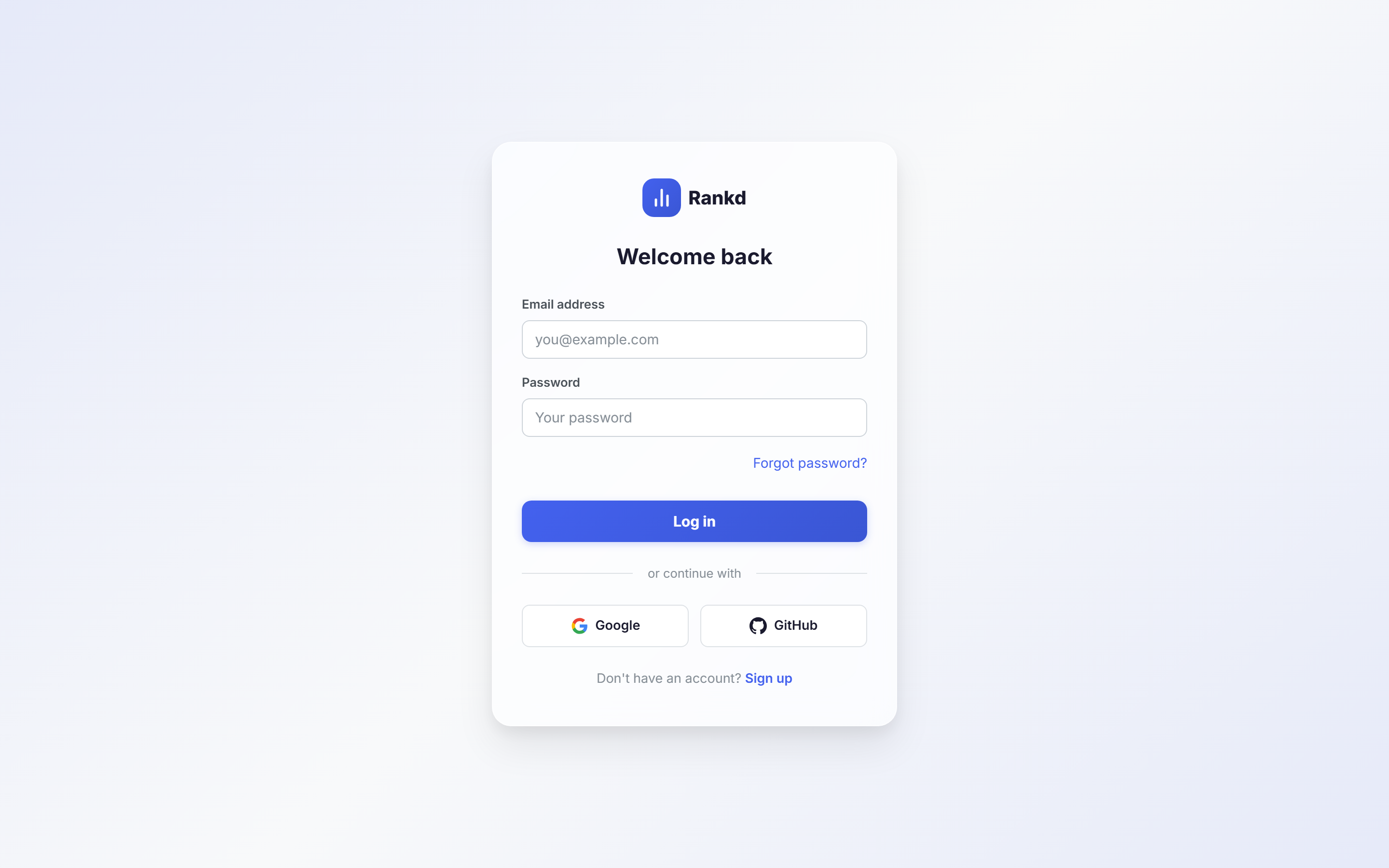
- Navigate to tryrankd.com/login
- Enter your email and password, OR click your OAuth provider
- Click "Log In"
Forgot your password? Click the "Forgot password?" link to receive a password reset email.
Career Profile Setup
Set up your Career Profile to unlock personalized AI results across all features:
- Navigate to Settings > Resumes & Profile
- Upload one or more resumes, then click "Refresh from Resume(s)" to auto-populate your profile via the LLM — this is the fastest way to get started
- Review and fill in any remaining details: target roles, preferred companies, compensation range, location preferences, deal-breakers, superpowers, and career narrative
- Set your archetype preferences (LLMOps, Agentic, AI PM, Solutions Architect, FDE, Transformation Lead)
- Choose your preferred output language for AI-generated content
3. Dashboard
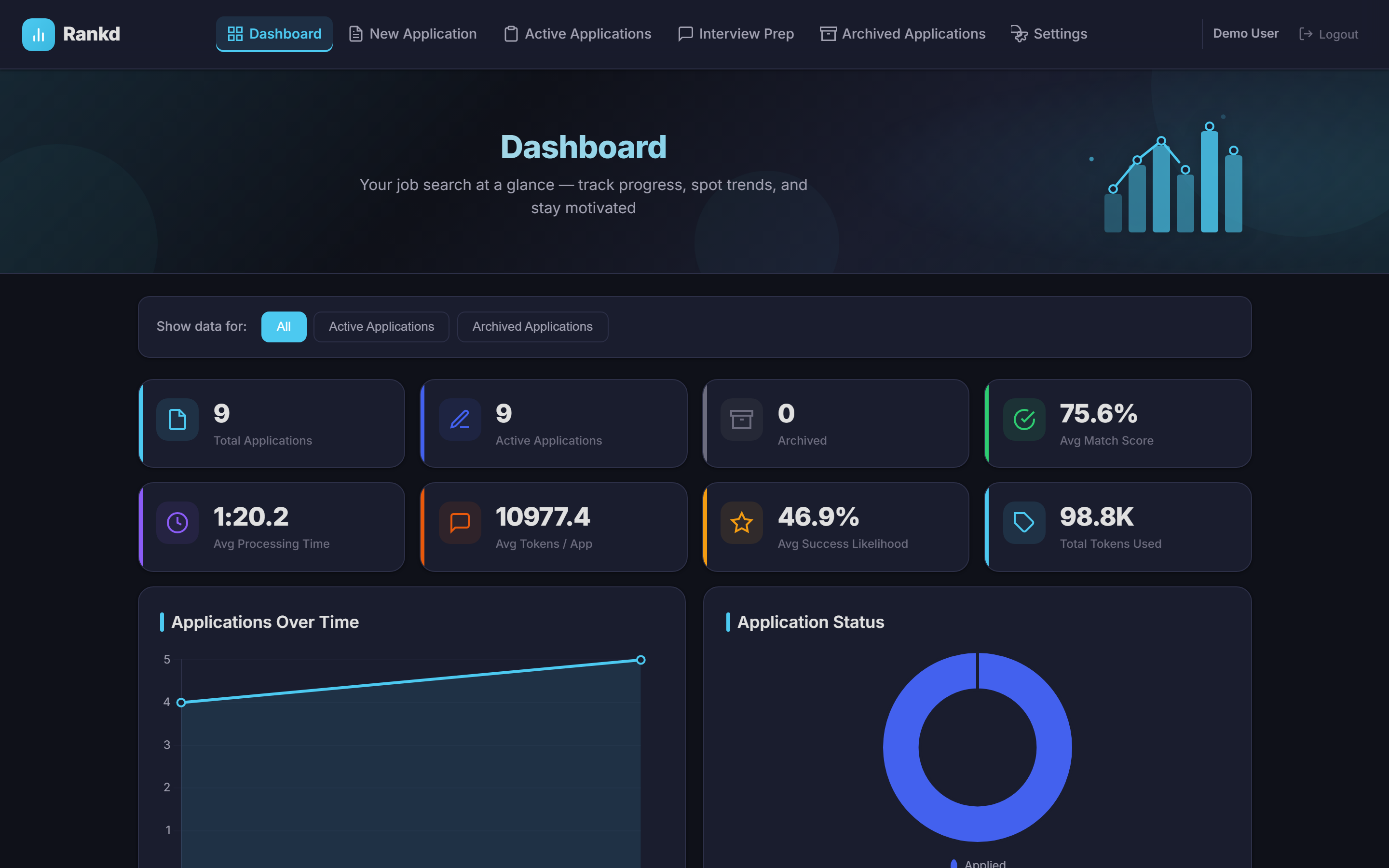
The Dashboard is your command center for monitoring your entire job search. It provides statistics and visualizations across all your applications, pipeline, and follow-ups.
Statistics Cards
At the top of the dashboard, you'll find 8 key metrics:
- Total Applications: All applications you've processed
- Active Applications: Applications currently in progress
- Archived Applications: Applications marked as "Not Progressed"
- Avg Match Score: Average match score across applications
- Avg Likelihood Score: Average likelihood of getting an interview
- Avg Processing Time: Average time to process each application
- Avg Tokens Used: Average AI tokens consumed per application
- Total Tokens: Cumulative AI tokens used
Interactive Charts
The dashboard includes 10 interactive charts plus specialized statistics:
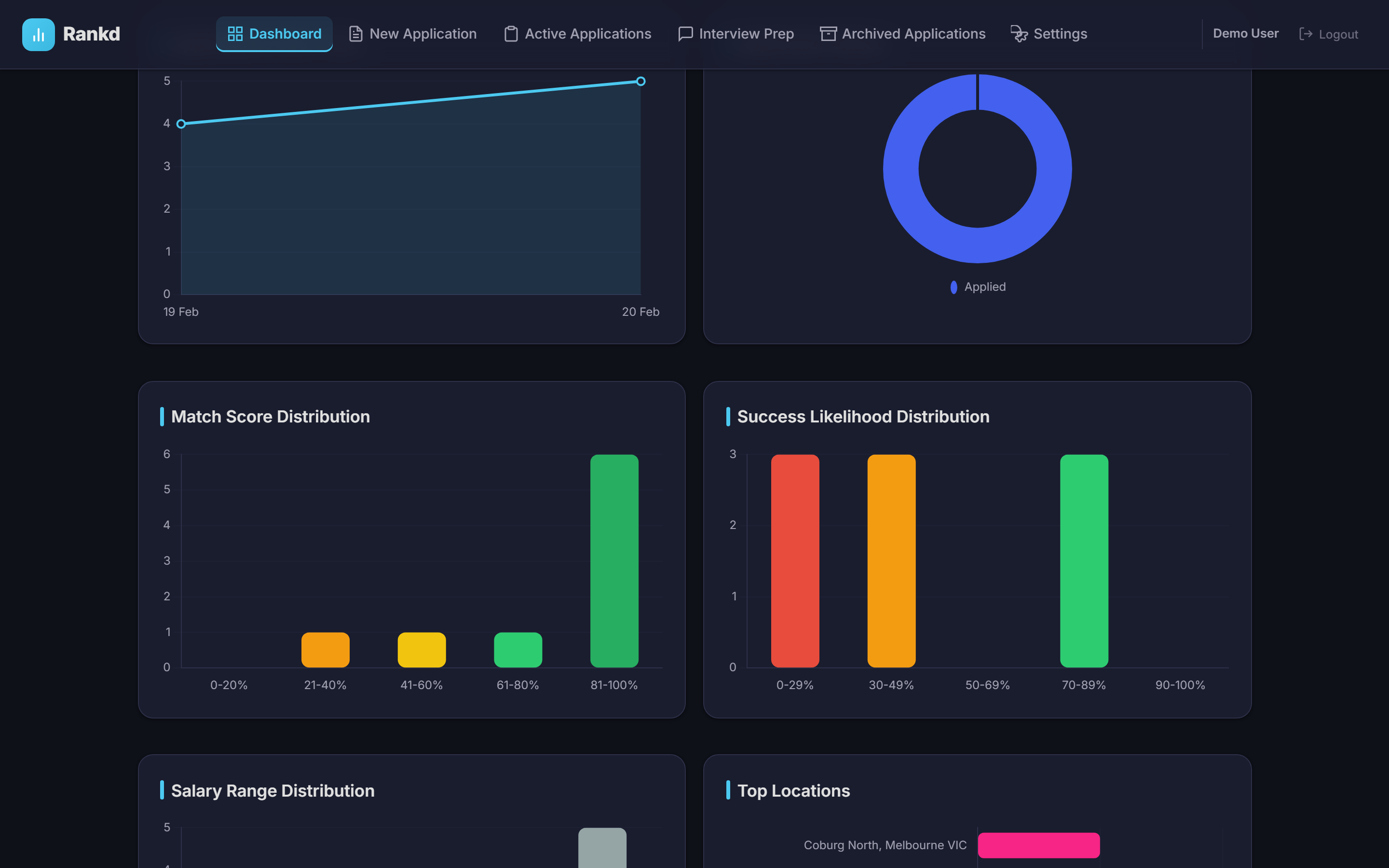
| Chart | Description |
|---|---|
| Applications Over Time | Line chart showing application volume trends |
| Application Status | Doughnut chart of status distribution |
| Match Score Distribution | Bar chart of score ranges |
| Likelihood Distribution | Bar chart of likelihood ranges |
| Salary Range Distribution | Bar chart of salary ranges |
| Top Locations | Bar chart of most applied-to locations |
| Job Sources | Doughnut chart of job board usage |
| Top Companies | Bar chart of most applied-to companies |
| Resume Usage | Doughnut chart showing which resumes are used most |
| Recent Applications | List of your most recent applications |
Ghost Job Statistics
The dashboard tracks ghost job detection results across all your evaluated applications:
- High Confidence: Listings that passed legitimacy checks
- Proceed with Caution: Listings with some red flags detected
- Suspicious: Listings flagged as likely ghost jobs
Archetype Distribution
Track which role archetypes appear most frequently in your applications. Rankd detects 6 archetypes during evaluation: LLMOps, Agentic, AI PM, Solutions Architect, FDE, and Transformation Lead.
Follow-up Urgency Breakdown
See at a glance how your follow-ups are distributed by urgency:
- Urgent: Follow-ups due today or overdue
- Overdue: Follow-ups past their scheduled date
- Waiting: Follow-ups scheduled for the future
- Cold: Applications with no follow-up scheduled
Data Filter
Use the filter dropdown to view charts for:
- All Applications: Combined view of active and archived
- Active Applications: Only applications in progress
- Archived Applications: Only archived applications
4. Processing a New Application
The New Application page is where the magic happens. Paste a job URL, and Rankd will parse it, run a 7-block deep evaluation against your resumes, generate a tailored resume and cover letter, and detect ghost jobs.
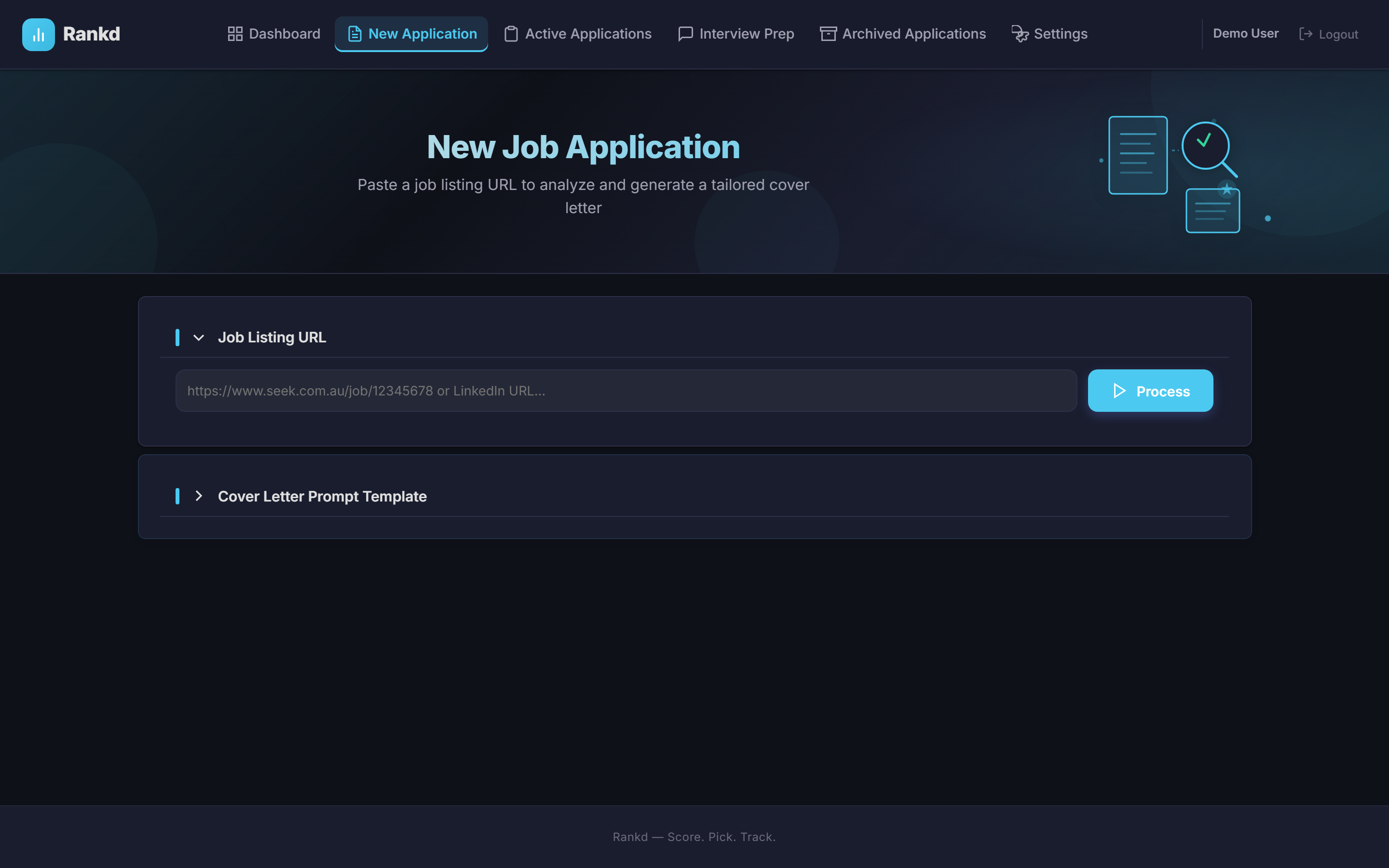
Job Parsing
When you paste a job URL and click "Process", Rankd automatically extracts:
- Job title
- Company name
- Salary range (if available)
- Location
- Full job description
- Job poster/hiring manager name (when detectable)
7-Block Evaluation
After parsing the job, Rankd runs a comprehensive 7-block evaluation. Each block provides a different dimension of analysis:
| Block | Name | What It Covers |
|---|---|---|
| A | Role Summary | Archetype classification, domain, function, seniority level, remote policy, and a concise TL;DR of the role |
| B | CV Match | Overall match score (0-100), match summary, and gap analysis with severity ratings and mitigation strategies |
| C | Level Strategy | Detected level vs. your natural level, positioning advice, and sell/downlevel plans |
| D | Compensation Benchmarking | Salary from the JD, market low/high estimates, currency, and demand trend |
| E | CV Changes & ATS Keywords | Top resume changes to make and critical ATS keywords to include for this specific role |
| F | STAR Stories | Relevant STAR+R stories from your story bank that align with the job requirements |
| G | Ghost Job Detection | Legitimacy assessment, red flags (vague requirements, no salary, too broad scope), and a verdict |
Resume Analysis
After parsing the job, Rankd analyzes ALL your uploaded resumes:
Match Score (0-100)
How well your resume matches the job requirements based on skills, experience, and keywords.
Likelihood Score (0-100)
Your estimated chance of getting the job among ~500 applicants. A realistic assessment of competitiveness.
Reasoning
AI-generated explanation of why the recommended resume is the best choice for this specific job.
Gap Analysis
3-5 notable gaps between your resume and the job requirements with severity ratings and mitigation strategies.
Other Resumes Comparison
Rankd also shows why other resumes weren't recommended, with their own scores and brief explanations. This helps you understand the strengths and weaknesses of each resume.
Tailored Resume Generation
Rankd can generate a fully tailored version of your resume optimized for a specific job description:
- AI Rewrite: The LLM rewrites your resume content using Block E's cv_changes and ATS keywords as rewrite instructions
- ATS-Optimized: Unicode normalization ensures ATS-safe text, with extracted keywords embedded for maximum parseability
- Your Style: Documents render in the CV style you picked in Settings → CV Style (8 professional presets), with your content toggles applied
- PDF Export: An ATS-friendly template rendered to PDF with automatic US Letter/A4 page size detection based on location
- DOCX Export: Generate a structured Word document for further editing
- All Formats Stored: HTML, PDF, and DOCX versions are stored as BLOBs and downloadable at any time
Cover Letter Generation
Rankd automatically generates a personalized cover letter:
- Addressed to the hiring manager (when name is detected)
- Highlights relevant experience from your resume
- Addresses gaps diplomatically
- Professional tone and structure
Cover Letter Export
All cover letters are generated and stored in three formats:
- HTML: ATS-optimized template for web viewing
- PDF: Professional, print-ready PDF
- DOCX: Word document for further editing
The cover letter automatically uses the same CV style and header content settings as your tailored resume, so the pair always looks like a matched set.
Customizing Cover Letters
You can:
- Edit the prompt template: Customize how cover letters are generated in Settings
- Rewrite with instructions: Click "Rewrite" and provide specific instructions (e.g., "Make it more casual", "Emphasize my leadership experience")
- Download: Save as HTML, PDF, or DOCX
Ghost Job Detection
Rankd's Block G evaluation automatically screens every job for signs of being a ghost job, a posting that may not represent a real opening:
Red Flag Detection
Flags vague requirements, missing salary info, overly broad scope, unrealistically long requirement lists, and other common ghost job signals.
Legitimacy Verdict
Each job receives an assessment rating. The dashboard aggregates these into High Confidence, Proceed with Caution, and Suspicious counts across all your applications.
Additional Application Questions
If the job application includes additional questions (e.g., "Why do you want to work here?"), paste them into the Additional Questions section. Rankd will generate thoughtful, personalized answers based on your resume and the job description.
Saving the Application
Click "Save & Log Application" to add this job to your Application Log. Rankd will warn you if you've already processed this job URL and give you the option to update the existing record.
5. Application Log
The Application Log is your central hub for managing all active job applications. It provides a comprehensive table view with powerful search, sort, filter, and batch operation capabilities.
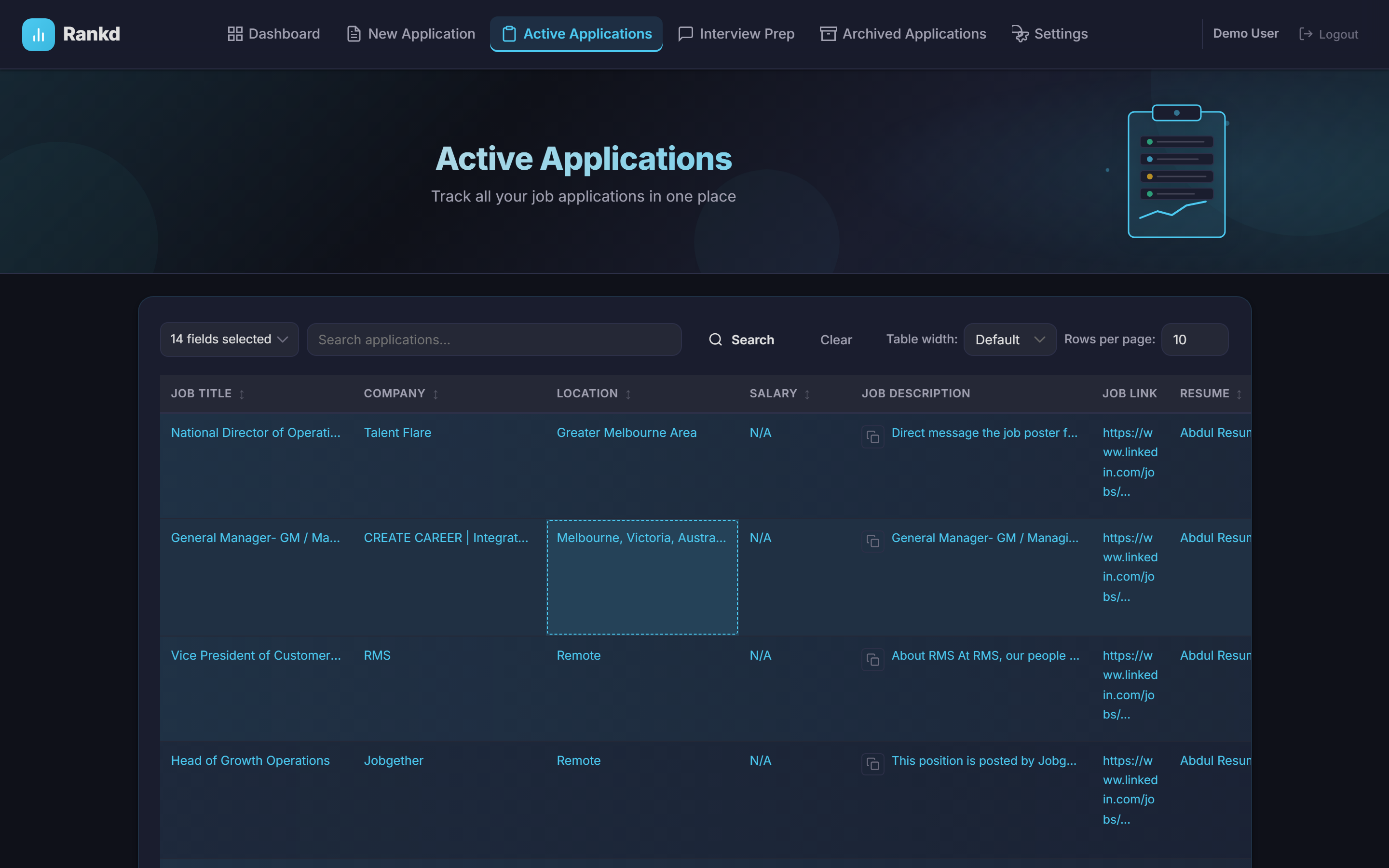
Table Columns
The log displays up to 16 columns of information:
| Column | Description |
|---|---|
| Job Title | Position title |
| Company | Company name |
| Location | Job location |
| Salary | Salary range if available |
| Job Description | Full description (expandable) |
| Job Link | Original posting URL |
| Recommended Resume | Resume with highest match |
| Cover Letter | Preview with download option |
| Filename | Cover letter filename |
| Match Score | Resume match percentage |
| Status | Current application status |
| Created | Date processed |
Sorting
Click any column header to sort by that column. Click again to reverse the order. Available sort options include:
- Job Title, Company, Location, Salary
- Match Score, Likelihood Score
- Created date, Updated date
- Status, Tokens Used, Processing Time
Search & Filter
The search bar supports multi-field searching. Select which field to search (or search all fields) and enter your query. Results update in real-time.
Status Pipeline
Track your application progress through the status pipeline:
Setting status to "Not Progressed" moves the application to the Archive.
Inline Editing
Click the edit icon on any row to modify:
- Job title, company, location, salary
- Comments
- Interview date/time
- Status
Batch Operations
Select multiple applications at once to perform batch actions:
- Delete Batch: Remove multiple applications at once
- Detect Duplicates: Automatically find and flag duplicate applications based on job URL and company/title matching
Pipeline Demote
Applications that came from the Pipeline can be demoted back to the Pipeline inbox using the demote action. This moves them from the active tracker back to the pipeline with their evaluation data intact.
Table Options
- Rows per page: Choose 10, 25, 50, or 100 rows
- Table width: Default, Wide, or Full-width
6. Career Profile
Your Career Profile is the foundation for personalized AI results across all of Rankd's features. It contains 25+ fields that define who you are as a professional and what you're looking for.
Profile Fields
Your career profile captures a comprehensive picture of your professional identity and job search goals:
Identity & Experience
Full name, current title, years of experience, and career narrative that tells your professional story.
Target Roles & Companies
Specify the roles you're targeting and companies you're interested in. Rankd uses these to personalize evaluations and job discovery.
Compensation & Location
Set your target compensation range and location preferences including remote, hybrid, or on-site requirements.
Deal-Breakers & Superpowers
Define your non-negotiables (deal-breakers) and unique strengths (superpowers) so evaluations account for what matters most to you.
Archetype Preferences
Rankd detects 6 role archetypes during evaluation. Set your preferred archetypes so the system knows which types of roles you gravitate toward:
- AI Platform / LLMOps: Infrastructure and platform roles for AI systems
- Agentic / Automation: Building autonomous AI agents and automation pipelines
- Technical AI PM: Product management for AI-powered products
- AI Solutions Architect: Designing AI solutions and integrations
- AI Forward Deployed Engineer: Customer-facing AI implementation and deployment
- AI Transformation Lead: Leading organizational AI adoption and change
Auto-Extract from Resume
Rather than filling in every field manually, upload one or more resumes and click "Refresh from Resume(s)". Rankd's LLM parses your resume(s) and auto-populates your career profile fields including target roles, years of experience, skills, and narrative. When multiple resumes are uploaded, they're treated as variations of the same person and synthesized into the most comprehensive profile.
Output Language Preference
Set your preferred output language for all AI-generated content. This affects evaluations, cover letters, tailored resumes, interview prep, and story generation. The default is American English, but you can choose any language for the LLM output.
7. Job Discovery & Pipeline
Rankd's Job Discovery system finds open positions for you, and the Pipeline Inbox manages them before you decide to apply. This creates a discover, evaluate, and apply workflow that surfaces opportunities you might otherwise miss.
Portal Scanner
The Portal Scanner crawls company career pages and job boards to find open positions matching your interests. It operates on two levels:
Level 1: ATS APIs
Zero-token job discovery through direct ATS API integration. Fast, efficient, and requires no browser rendering. Supports Greenhouse, Lever, Ashby, and Teamtailor.
Level 2: Playwright Crawling
Headless browser scanning for career pages that require JavaScript rendering. Includes generic portal scraping plus dedicated search for Seek, Indeed, and LinkedIn.
Supported ATS Platforms
| ATS Platform | API Endpoint | Notes |
|---|---|---|
| Greenhouse | Boards API (JSON) | Widely used by tech companies |
| Lever | Postings API (JSON) | Popular with startups |
| Ashby | Posting API (GraphQL) | Modern ATS with rich data |
| Teamtailor | RSS Feed | European-focused ATS |
Scanning Features
- ~55 Pre-configured Companies: Start scanning immediately with built-in company portals
- Custom Portals: Add your own company portals via the CRUD interface
- SSE Streaming: Results appear in real-time as they're discovered via Server-Sent Events
- Background Scanning: Start scans in the background with cancel and retry support
- Cross-Scan Deduplication: The scan_history table prevents showing duplicate results across multiple scans
Pipeline Inbox
Discovered jobs flow into the Pipeline Inbox where you can evaluate and decide which ones to pursue:
A filter bar lets you switch views: Pipeline (default — shows unevaluated + evaluated items), Unevaluated, Evaluated, Applied, Skipped, and All.
Pipeline Operations
- Full CRUD: Add, view, edit, and delete pipeline entries
- Evaluate / Batch Evaluate: Score one job, or select many and evaluate them all at once with background progress tracking
- Proceed: On an evaluated job, one click jumps to the application page and auto-generates a tailored resume and cover letter (HTML, PDF, and DOCX) for that role, then marks the item Applied
- Skip: Dismiss a job you're not pursuing (per-row or in batch); skipped items are remembered so future scans won't re-add them, and auto-clear after 60 days
- Promote to Tracker: Move a pipeline job to your active Application Log once you've decided to apply
- Demote from Tracker: Move an application from the tracker back to the pipeline if you change your mind
- Detect Duplicates: Automatically find and flag duplicate entries across your pipeline
- Delete Batch: Remove multiple pipeline entries at once
8. STAR+R Story Bank
The STAR+R Story Bank stores your behavioral interview stories in a structured format. These stories are used during interview preparation and can be recommended for specific job applications.
What is STAR+R?
STAR+R extends the traditional STAR interview method with a Reflection component:
| Component | Description |
|---|---|
| S - Situation | The context or background of the story |
| T - Task | The specific challenge or objective you faced |
| A - Action | The steps you took to address the challenge |
| R - Result | The measurable outcome of your actions |
| R - Reflection | What you learned and would do differently |
Story Metadata
Each story is enriched with metadata for organization and matching:
- Tags: Free-form labels for categorization
- Archetypes: Which role archetypes the story is relevant for
- Skills: Specific skills demonstrated in the story
Generating Stories
There are multiple ways to populate your Story Bank:
Auto-Extract from Resume
Upload a resume and Rankd's LLM will automatically extract potential STAR+R stories from your experience descriptions. Each story includes all five components plus metadata.
Extract from Evaluations
During job evaluations, Rankd can identify and extract relevant stories from the evaluation output. These are automatically added to your Story Bank.
Create Manually
Write your own stories using the story editor. Fill in each STAR+R component and add relevant tags, archetypes, and skills.
Regenerate Individual Stories
Not happy with an auto-generated story? Regenerate it individually while keeping the rest of your Story Bank intact.
Job-Specific Recommendations
When you're preparing for a specific job, Rankd can recommend the most relevant stories from your bank based on the job description. This feature uses the story metadata (tags, archetypes, skills) to find the best matches, ensuring you always have the right examples ready for interview questions.
Story CRUD
Full management capabilities for your stories:
- Create: Add new stories manually or generate from resume/evaluation
- Read: Browse and search your complete story collection
- Update: Edit any story component or metadata
- Delete: Remove stories you no longer need
9. Follow-up Tracker
The Follow-up Tracker helps you stay on top of your application communications. Never miss a follow-up window or lose track of recruiter conversations.
Tracking Follow-ups
Each follow-up entry captures:
| Field | Description |
|---|---|
| Date | When the follow-up is due or was completed |
| Channel | Communication method used |
| Contact | Name of the person you're following up with |
| Notes | Details about the follow-up interaction |
Communication Channels
Track follow-ups across all your communication channels:
- Email: Standard email follow-ups
- Phone: Phone call follow-ups
- LinkedIn: LinkedIn message or connection follow-ups
- In-Person: Face-to-face meeting or event follow-ups
Urgency Levels
Rankd automatically calculates follow-up urgency so you can prioritize your outreach:
Urgent
Follow-ups due today. These need your immediate attention to keep the application momentum going.
Overdue
Follow-ups past their scheduled date. These are at risk of going cold and should be addressed right away.
Waiting
Follow-ups scheduled for a future date. No action needed yet, but they'll move to urgent when the date arrives.
Cold
Applications with no follow-up scheduled. Consider adding a follow-up to keep the pipeline warm.
Dashboard Integration
Follow-up urgency is displayed on the main dashboard, giving you an at-a-glance view of your follow-up pipeline. The dashboard shows how many follow-ups fall into each urgency category, plus tracks follow-ups due today.
Follow-up CRUD
- Create: Add follow-ups to any application with date, channel, contact, and notes
- Read: View all follow-ups across applications or filtered by specific jobs
- Update: Edit follow-up details, reschedule dates, or add notes
- Delete: Remove follow-ups that are no longer relevant
10. Application Archive
The Archive contains applications marked as "Not Progressed" - jobs where you weren't selected or chose not to continue.
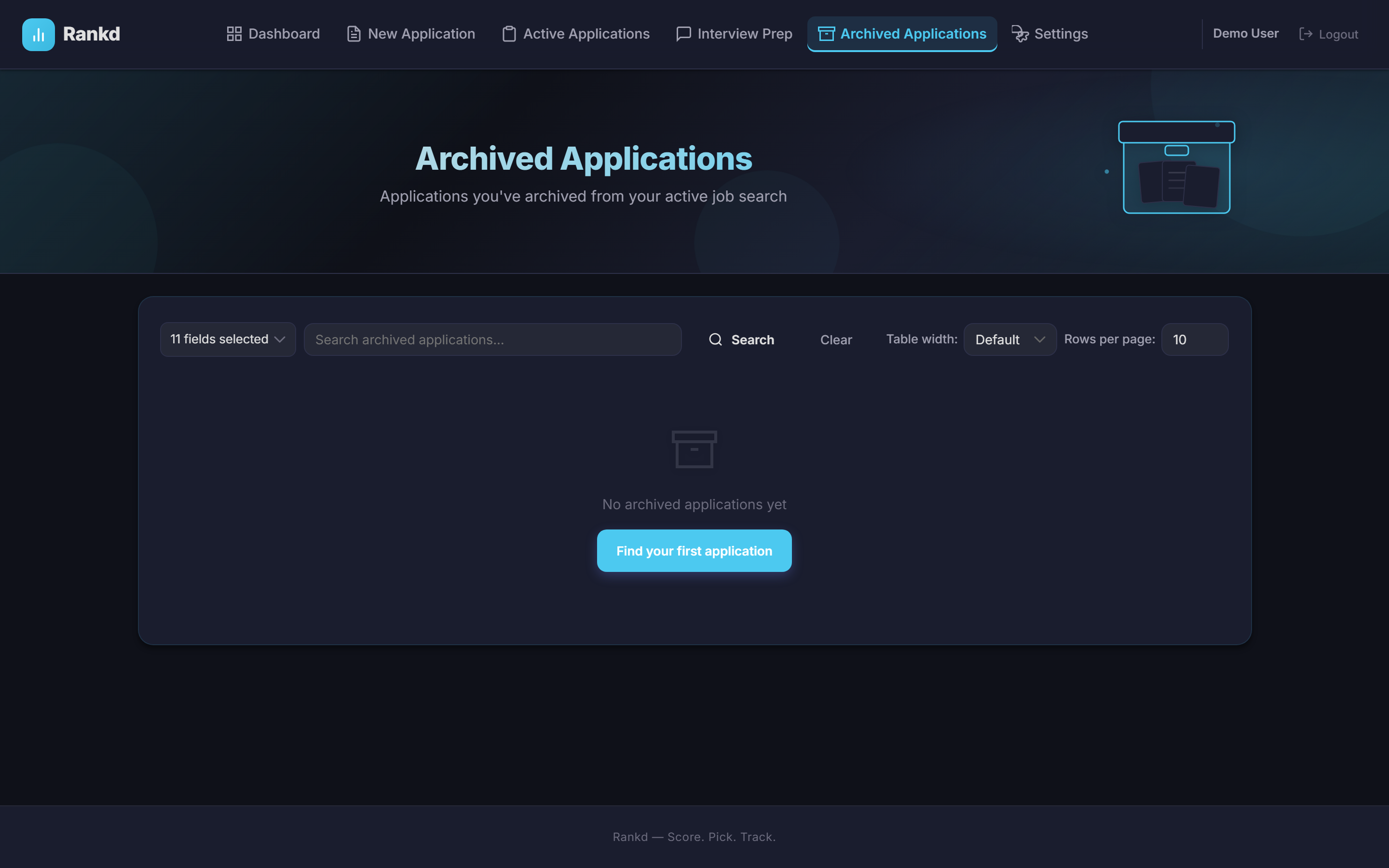
Working with the Archive
- Same features: Search, sort, and pagination work identically to the Application Log
- Restore: Click the restore icon to move an application back to Active
- Delete: Permanently remove applications you no longer need
11. Application Detail View
Click on any application row to view the full details on a dedicated page.
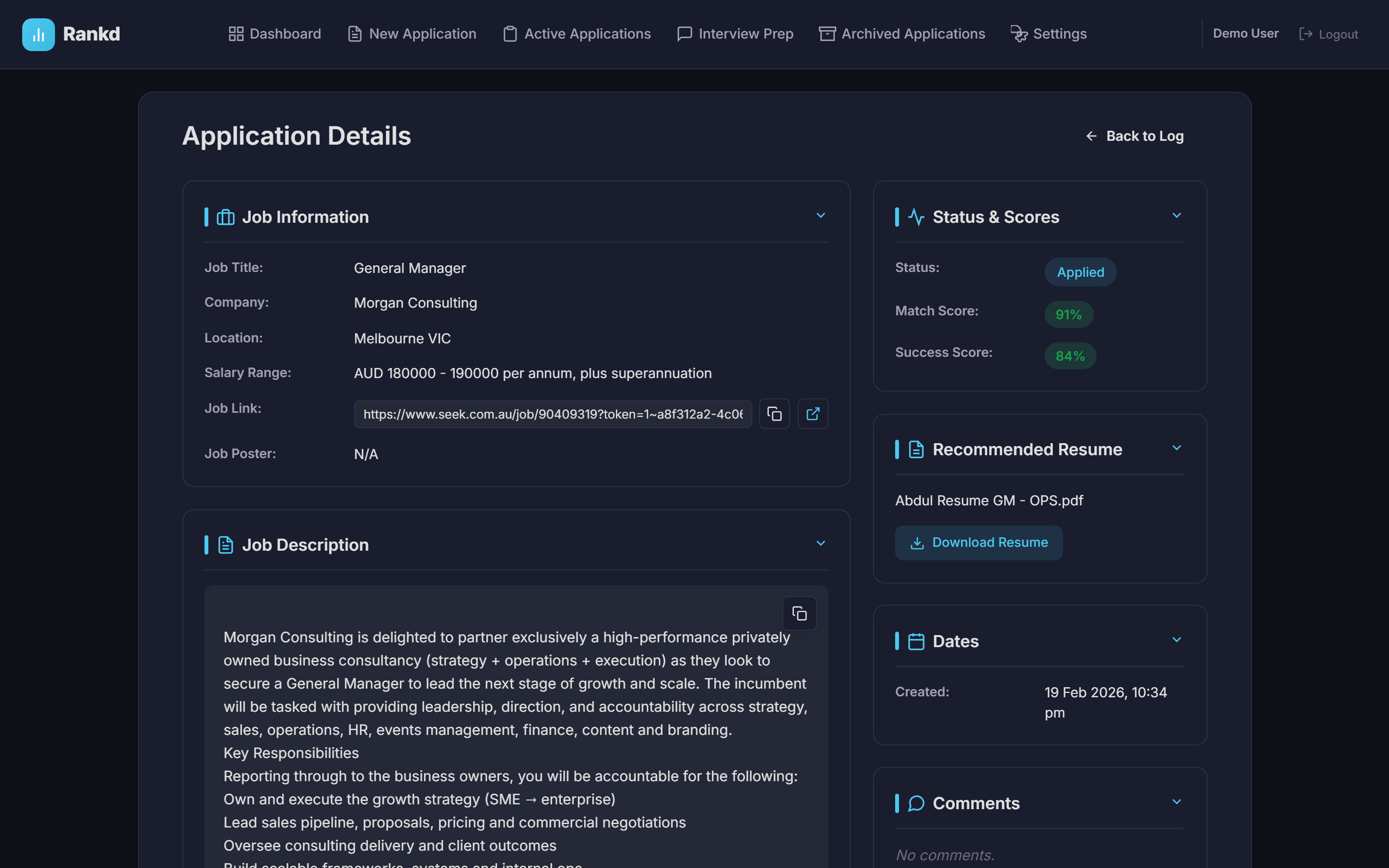
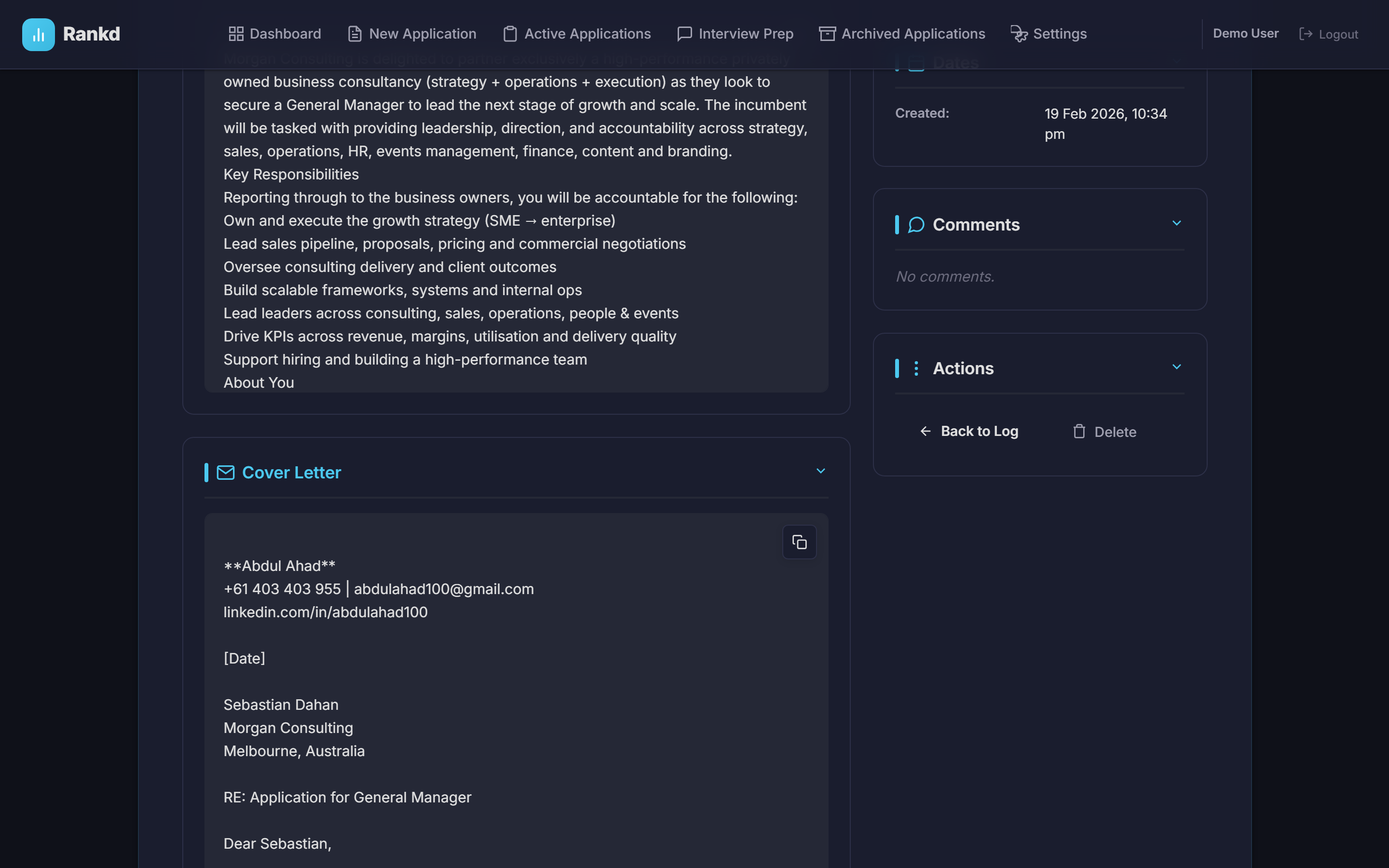
The detail view shows all information about a single application including:
- Complete job description
- Resume recommendation with full reasoning
- All resume scores and comparisons
- 7-Block evaluation results (Blocks A through G)
- Tailored resume with PDF/DOCX download
- Cover letter with HTML/PDF/DOCX download
- Additional Q&A
- Gap analysis with severity ratings
- Ghost job detection results
- Interview preparation (if generated)
- Follow-up history
- Metadata (tokens used, processing time)
12. Interview Preparation
Rankd generates AI-powered interview preparation materials across 3 stages. Each stage builds on the previous one for continuity. Your Career Profile and STAR+R Story Bank are used to personalize the content.
Interview 1: Screening (15-20 minutes)
Initial phone/video screening preparation includes:
- Strong Opening: A compelling introduction script
- Company Insights: Key facts about the company
- 6 Key Questions: Common screening questions with prepared answers
- 8 JD Requirements Mapped: How your experience aligns with job requirements
- 8 Talking Points: Key points to emphasize
- 8 Questions to Ask: Thoughtful questions for the interviewer
- Strong Closing: A memorable closing statement
Interview 2: Technical Deep-Dive (30-60 minutes)
Technical interview preparation includes:
- STAR Stories: Behavioral examples from your Story Bank using the STAR+R method
- Detailed JD Mapping: Deep dive into job requirements
- 8-12 Technical Questions: Role-specific technical questions with answers
- Behavioral Questions: Common behavioral questions with prepared responses
- 10-15 Talking Points: Comprehensive discussion points
Interview 3: Leadership/Cultural Fit (30-60 minutes)
Final stage preparation includes:
- Strategic Context: Understanding the role's strategic importance
- Leadership Questions: Senior-level questions with answers
- Cultural Fit: How to demonstrate alignment with company values
- Strategic Value: How to articulate your unique value proposition
Deep Company Research
Generate live research on the company straight from the interview prep page. Rankd runs real-time web searches and synthesizes a multi-section briefing covering company overview, industry analysis, culture, tech stack, recent news, growth trajectory, potential red flags, salary data, competitors, interview tips, and smart questions to ask. Because it pulls fresh data on demand, the research reflects the company's current situation rather than stale cached information.
Add Your Own Context
Personalize your prep by giving the AI extra context. Paste notes (recruiter emails, the interviewer's name and background, your own talking points) or upload supporting files in PDF, DOCX, or TXT format. Anything you add is injected into the prompt so generated prep, questions, and talking points reflect your specific situation.
Using Interview Prep
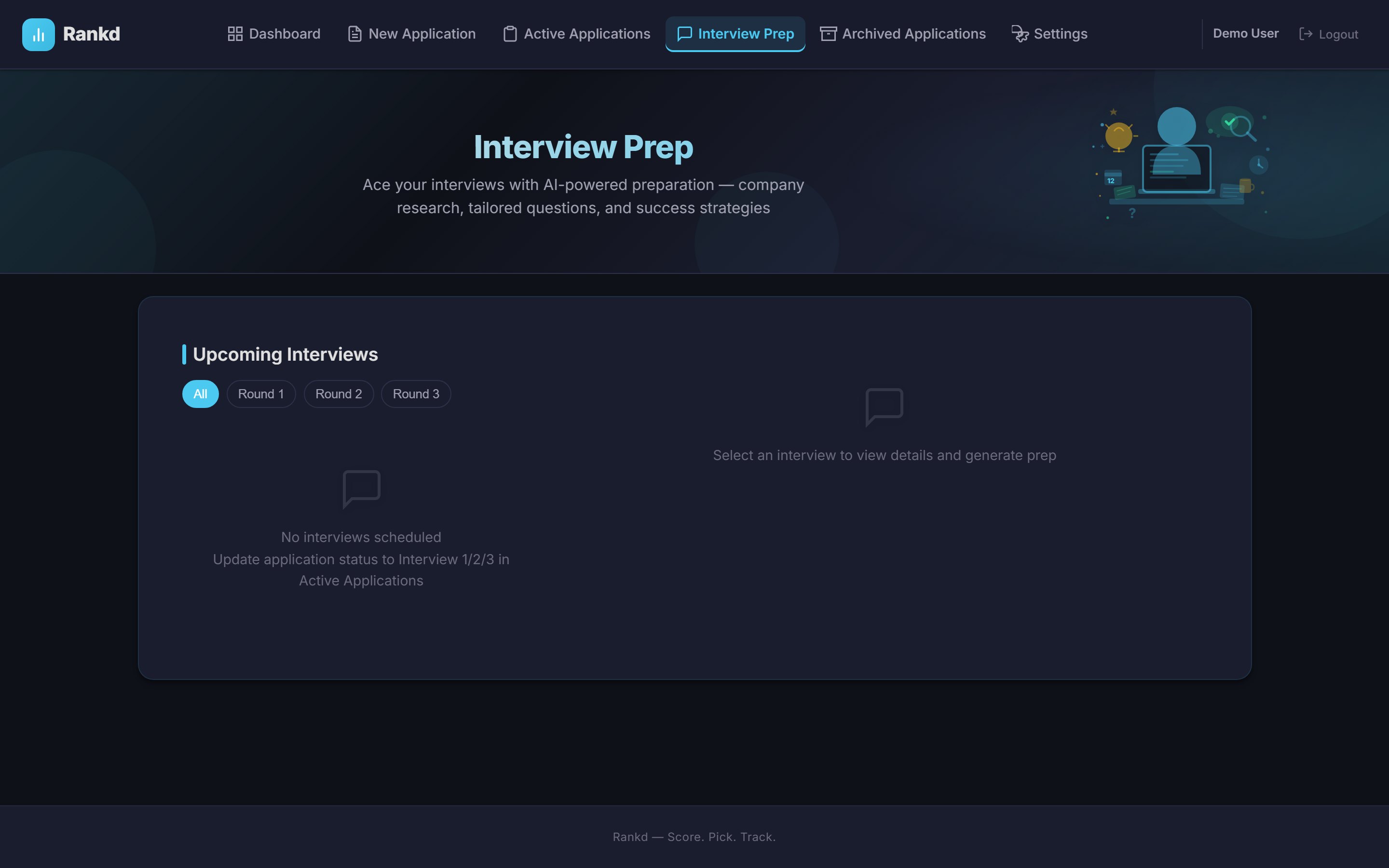
- Set an application's status to Interview 1, 2, or 3
- Navigate to the Interview Prep page
- Select the interview from the left panel
- Set the interview date/time (optional)
- Click "Generate Interview Prep"
- Content generates asynchronously in the background - check progress via polling
- Review and edit the generated content
- Download all prep materials as needed
Export to PDF
Download your prep as a polished, one-page interview battle card. A section picker lets you choose what to include — prep rounds, your recommended STAR+R stories, and the company research — so you can print or review everything on a single sheet before you walk in.
13. Settings
The Settings page is organized into tabs — Resumes & Profile, Portals, Appearance, Notifications, Account, and Premium — where you manage your resumes, career profile, job portals, and account preferences.
Resumes & Profile
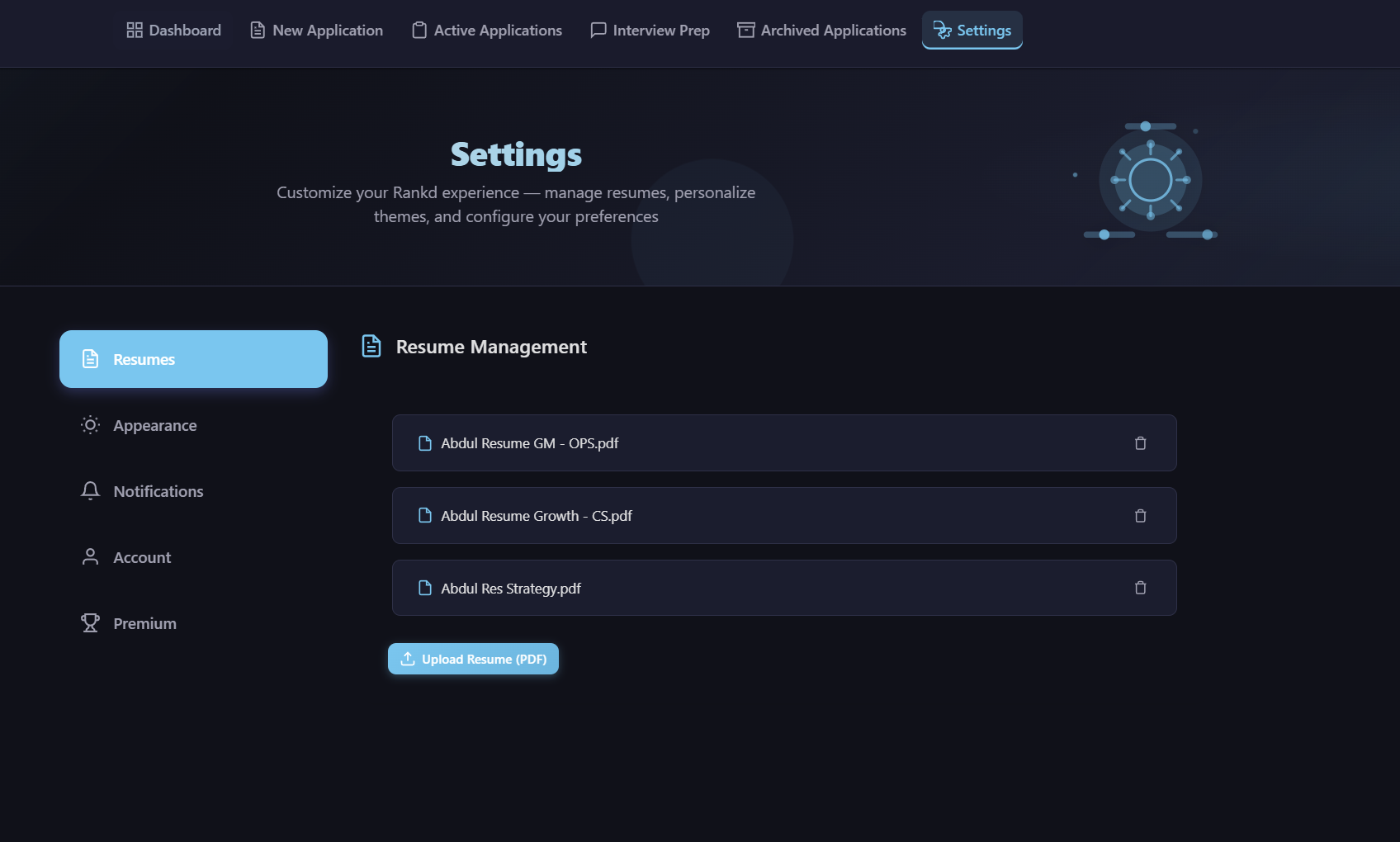
The default tab. Manage your resume library and your Career Profile in one place:
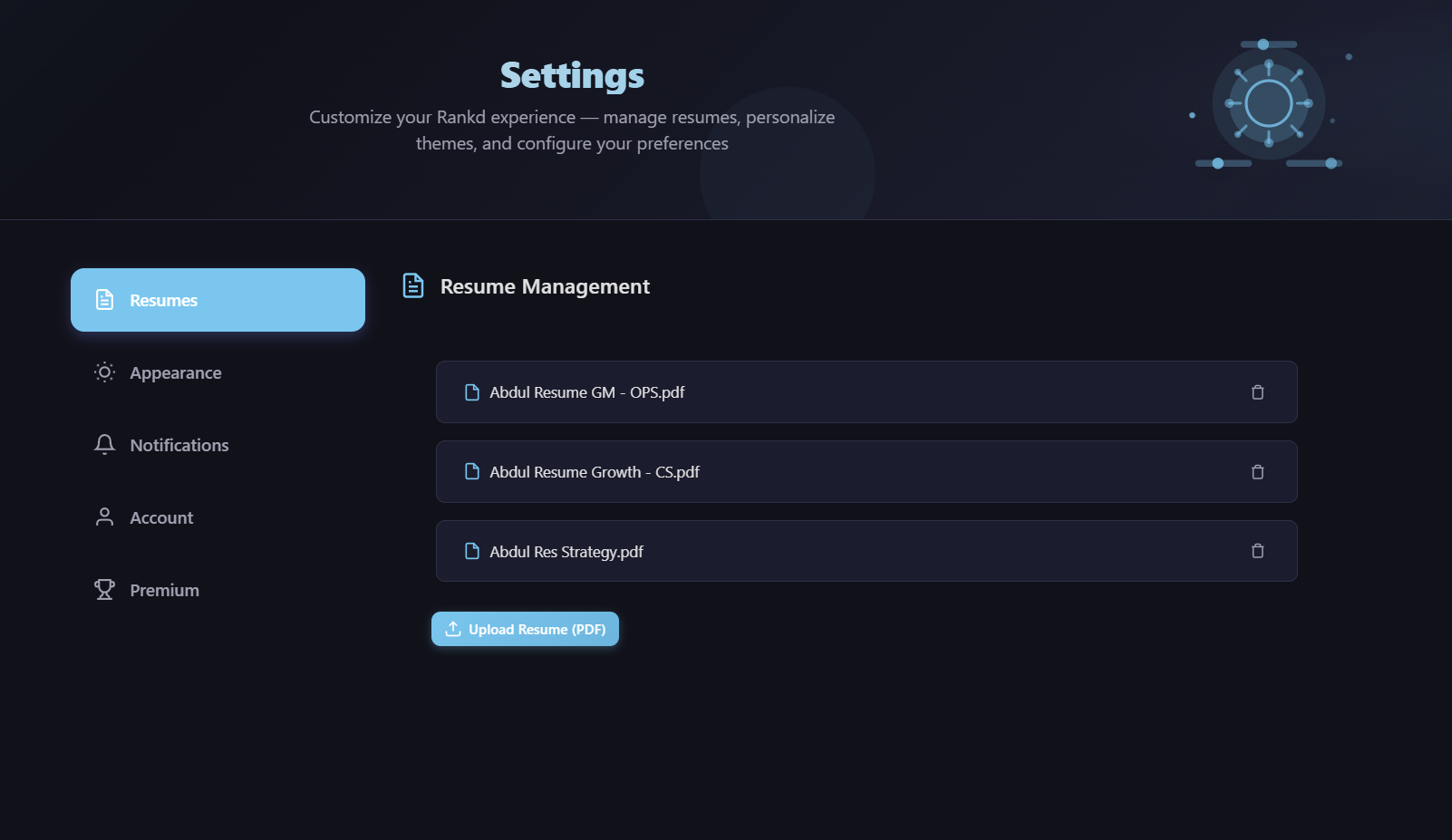
- Upload: Drag-and-drop or click to upload PDF resumes (max 16MB each); upload several for comparison against each job
- Manage: View all uploaded resumes with file info, and delete any you no longer need
- Refresh from Resume(s): Auto-populate your Career Profile from your uploaded resume(s) via the LLM
- Career Profile: Edit all 25+ profile fields — target roles, companies, compensation, location preferences, deal-breakers, superpowers, narrative, archetype preferences, and output language. See the Career Profile section for full details
CV Style & Content
Further down the Resumes & Profile tab (below Paper Size), two cards control how your generated documents look and what they include. Your choices apply to both the tailored CV and the cover letter, in both PDF and DOCX formats.
CV Style
Choose from 8 professionally designed document styles. Click any swatch to see a live preview of a sample CV in that style:
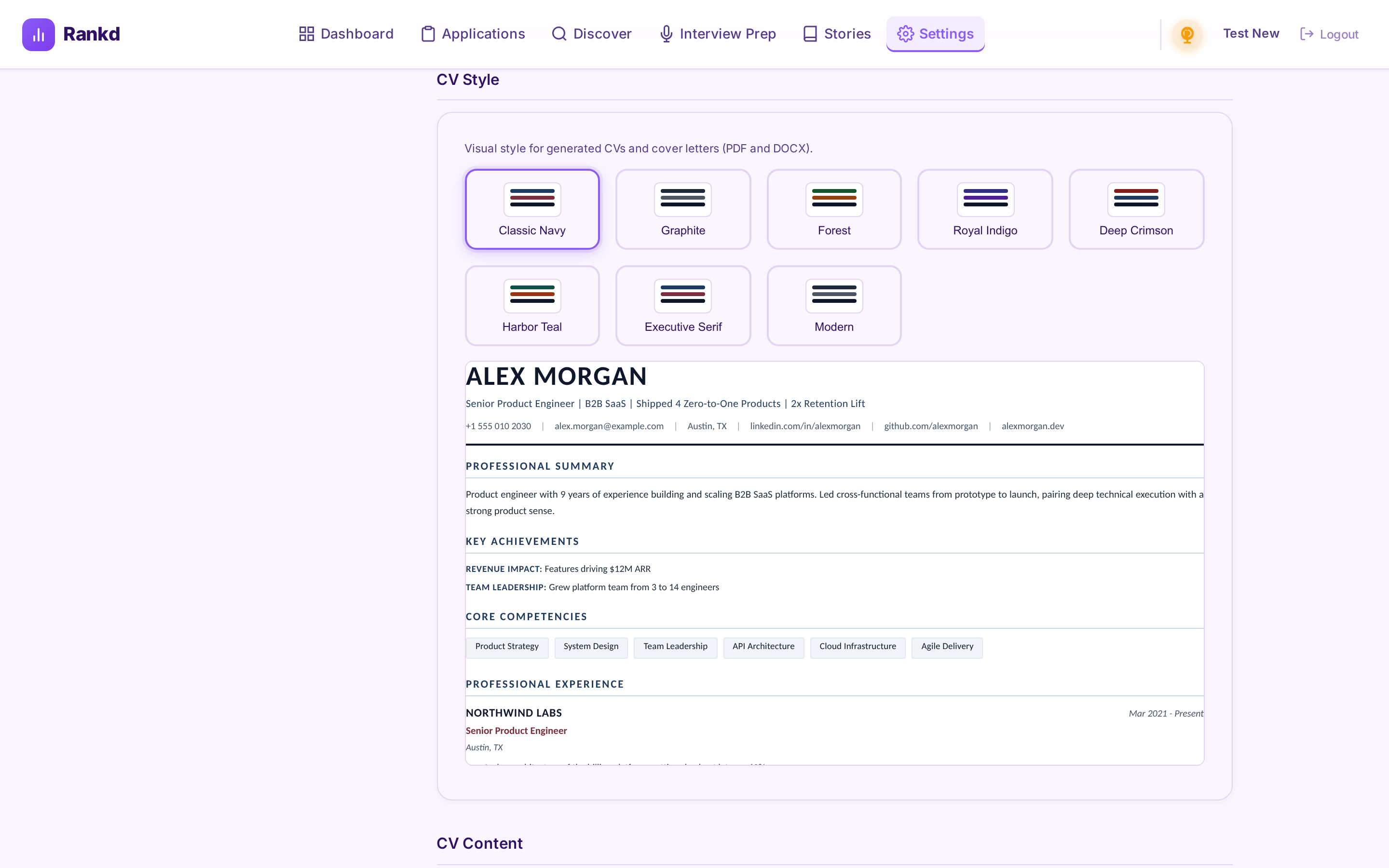
- Classic Navy (default) — available on the free tier; the navy-and-burgundy look Rankd has always used
- Graphite, Forest, Royal Indigo, Deep Crimson, Harbor Teal — conservative color variants (Premium)
- Executive Serif — a refined Georgia-style serif typeface, well suited to senior and executive roles (Premium)
- Modern — the contemporary Inter typeface with a graphite palette (Premium)
Every style is deliberately recruiter-appropriate — deep, muted accent colors, near-black body text, and established professional typefaces — and stays fully ATS-safe. Your selection is saved instantly and applies to all documents you generate from then on (previously generated documents keep their original look).
CV Content (Premium)
Control exactly what appears on your documents:
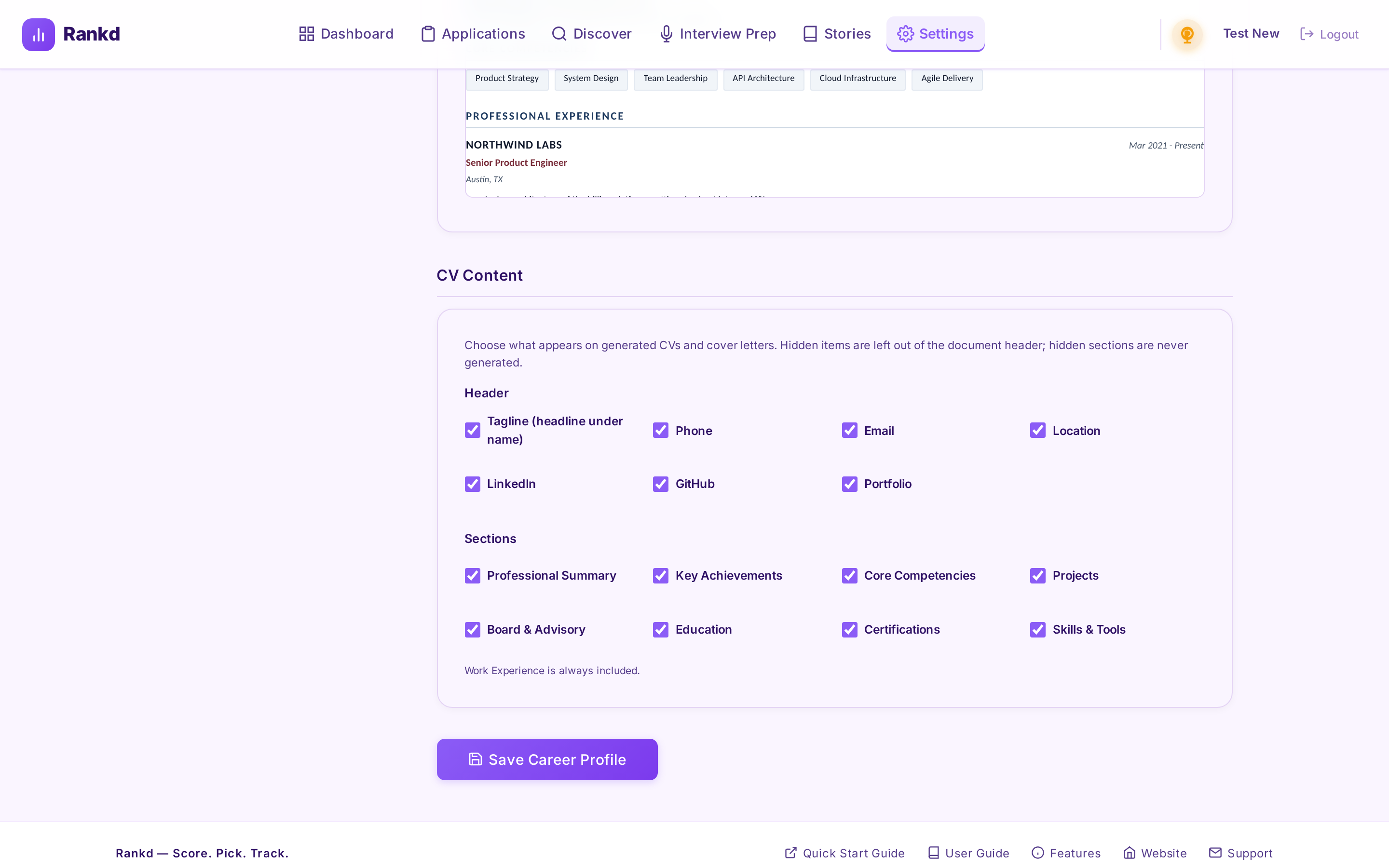
- Header: Show or hide the tagline (the headline under your name) and each contact item individually — phone, email, location, LinkedIn, GitHub, and portfolio
- Sections: Exclude whole CV section types — Professional Summary, Key Achievements, Core Competencies, Projects, Board & Advisory, Education, Certifications, or Skills & Tools. Work Experience is always included
Hidden sections aren't just removed from the layout — the AI is told not to generate them, so it redistributes that content into the sections you kept. The preview updates as you toggle, showing exactly what your next document will look like.
Portals
Manage the company portals the Job Discovery scanner crawls. Rankd ships with ~55 pre-configured companies, and you can customize the list:
- Add a portal: Provide a company name and its careers URL or ATS identifier (Greenhouse, Lever, Ashby, Teamtailor, or a generic career page)
- Manage: View, edit, and remove the portals in your list
- Your configured portals are what the Portal Scanner crawls on the Discover page
Appearance
Personalize your experience:
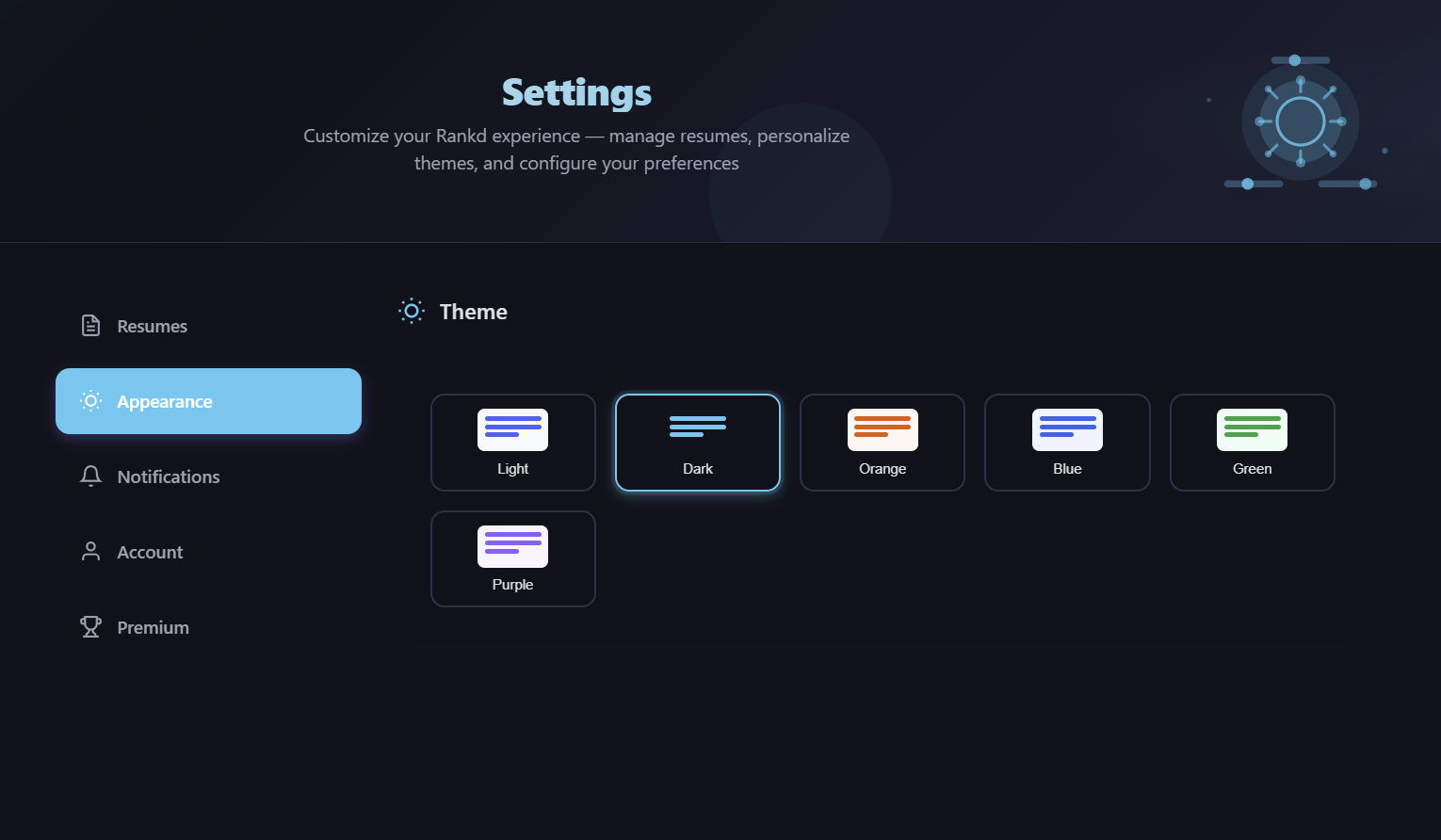
Choose from 6 themes:
- Light (default)
- Dark
- Orange
- Blue
- Green
- Purple
Notifications
Control your email preferences:
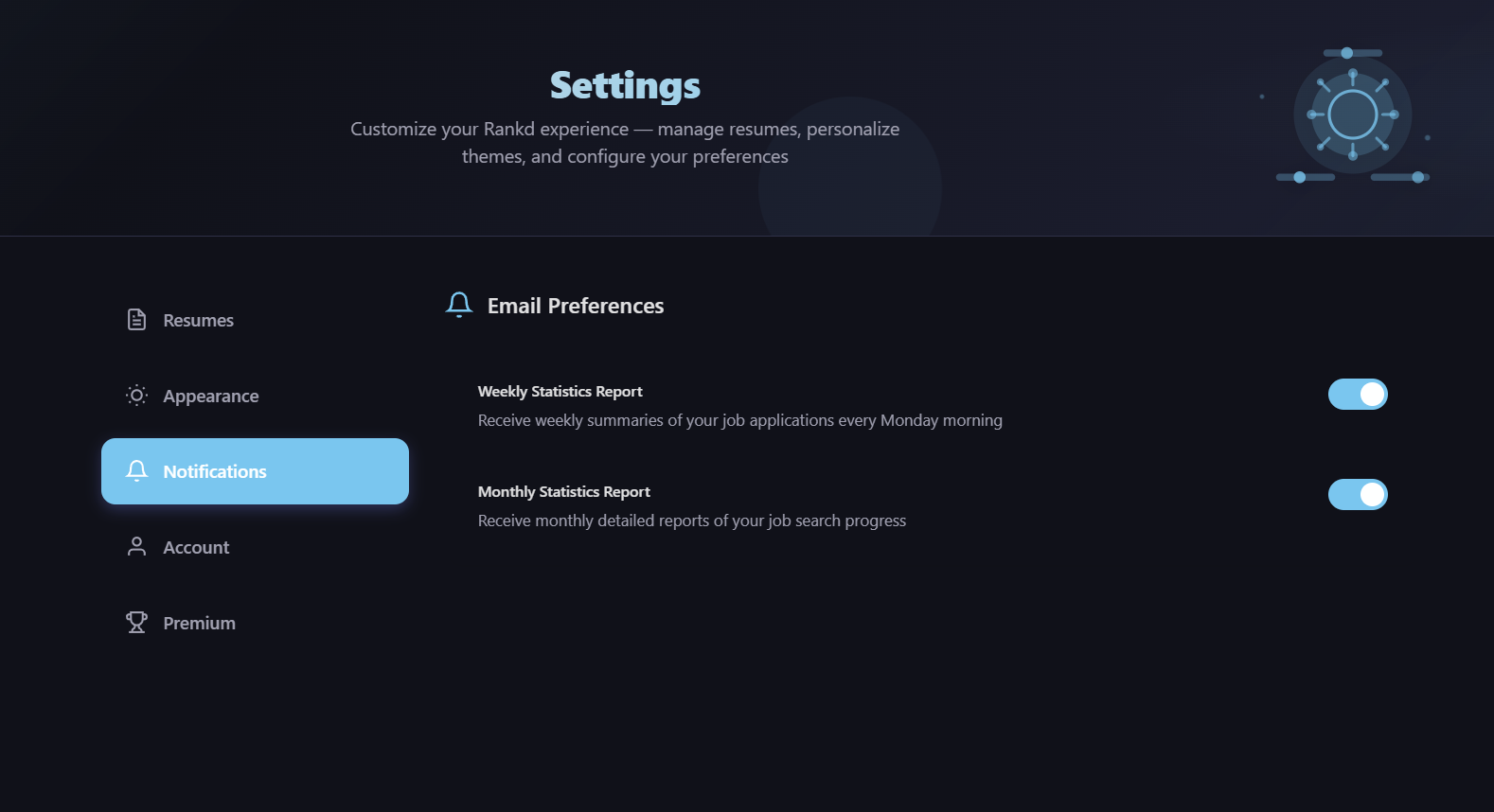
- Weekly Statistics: Opt in/out of weekly email reports
- Monthly Statistics: Opt in/out of monthly email reports
Premium
View your subscription status and upgrade options:
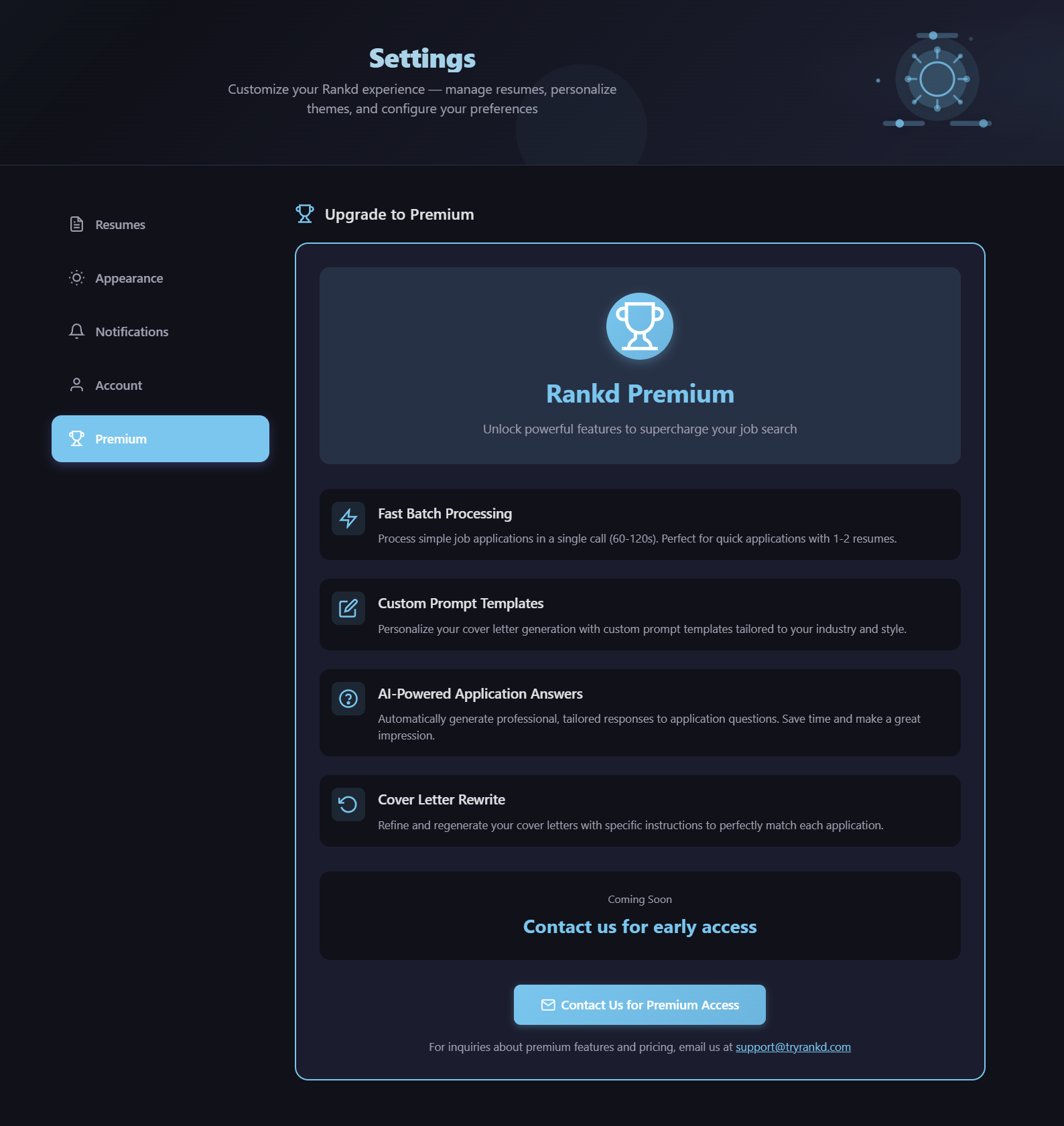
- Current Plan: Shows if you're on Free or Premium tier
- Free Tier: 10 job applications per 10-day period
- Premium Tier: Unlimited applications at $9/month or $79/year
Account
Manage your account information:
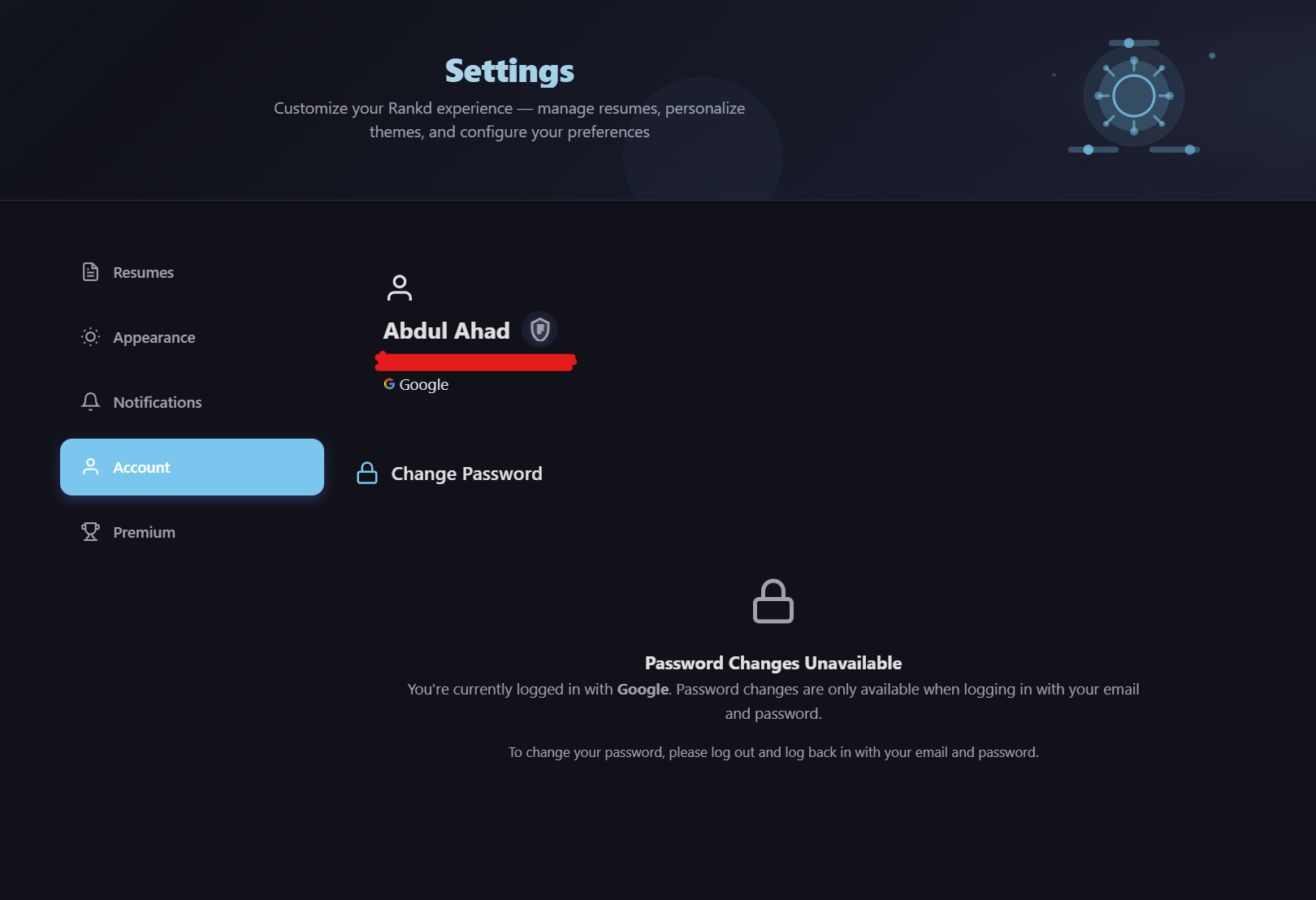
- Display Name: Update your name
- Password: Change your password (for email/password accounts)
- OAuth Badge: Shows if you signed up via Google or GitHub
14. Supported Job Boards
Rankd supports parsing job listings from multiple job boards:
| Job Board | Parsing Method | Notes |
|---|---|---|
| Seek.com.au | GraphQL + HTML fallback | Primary Australian job board |
| Indeed | JSON-LD + HTML parsing | Global job board |
| Meta tags + HTML parsing | Professional network | |
| Generic | JSON-LD + Meta tags + CSS heuristics | Works with most job sites |
Advanced Scraping
For sites that require JavaScript rendering or are behind Cloudflare:
- Playwright: Headless Chromium browser handles JavaScript-rendered SPAs automatically
- FlareSolverr: Optional fallback for Cloudflare-protected pages
15. Security & Privacy
Rankd takes your security and privacy seriously:
Password Security
Passwords are hashed using bcrypt with salt. We never see your actual password.
OAuth Support
Sign in securely with Google or GitHub OAuth - no password required.
Data Ownership
Your resumes and data are yours. We don't sell, share, or train on your data.
Encrypted API Keys
API keys stored in the database are encrypted using Fernet symmetric encryption with a persistent key.
Additional Security Measures
- HTTPS with HSTS for encrypted connections
- X-Frame-Options: DENY to prevent clickjacking
- X-Content-Type-Options: nosniff
- Maximum upload size: 16MB
- Always parameterized SQL queries - no string interpolation
16. Keyboard Shortcuts
| Shortcut | Action |
|---|---|
Esc | Close modals and dropdowns |
Enter | Submit forms |
Tips
- Use
Ctrl+F(orCmd+Fon Mac) to search within tables - Click column headers to sort tables
- Use the pagination controls at the bottom of tables to navigate large datasets
- Bookmark frequently accessed pages for quick access
17. Frequently Asked Questions
How does Rankd score my resumes?
Rankd analyzes the job description and compares it against each of your resumes using intelligent text analysis. It evaluates skills match, experience relevance, keyword alignment, and overall fit to generate a Match Score (how well you fit the job) and Likelihood Score (how likely you are to get an interview among ~500 applicants). Your Career Profile is injected into the evaluation for personalized results.
What is the 7-block evaluation?
Every job you process goes through a 7-block evaluation system: Block A (Role Summary & archetype), Block B (CV Match & gaps), Block C (Level Strategy), Block D (Compensation Benchmarking), Block E (CV Changes & ATS Keywords), Block F (STAR Stories), and Block G (Ghost Job Detection). Together these provide a comprehensive analysis of the opportunity from every angle.
Does Rankd rewrite my resume?
Yes. Rankd can generate a fully tailored version of your resume optimized for a specific job description. The AI uses Block E's recommended CV changes and ATS keywords as rewrite instructions, producing an ATS-optimized resume available in PDF and DOCX formats. You can choose from 8 professional document styles and control what appears on the page in Settings → CV Style & Content. Your original resumes are never modified - the tailored version is generated as a separate document.
What is ghost job detection?
Block G of the evaluation screens every job posting for signs of being a ghost job, a listing that may not represent a real opening. It looks for red flags like vague requirements, missing salary information, overly broad scope, and other common indicators. Jobs are categorized as High Confidence, Proceed with Caution, or Suspicious on your dashboard.
What does job discovery do?
The Portal Scanner crawls company career pages and job boards to find open positions. Level 1 uses direct ATS API integration (Greenhouse, Lever, Ashby, Teamtailor) for fast, zero-token discovery. Level 2 uses Playwright headless browser for JavaScript-rendered pages. Discovered jobs flow into a Pipeline Inbox where you can evaluate, batch-score, and promote the best opportunities to your application tracker.
What does the Likelihood Score mean?
The Likelihood Score estimates where you'd stand if 500 people applied for the same job. It's not a guarantee - it's an informed estimate to help you make smarter decisions about which resume to use.
How much does Rankd cost?
Rankd offers a freemium model:
- Free Tier: 10 job applications per 10-day period
- Premium Tier: $9/month or $79/year for unlimited applications, batch processing, tailored resume generation, full portal scanning, and all premium features
Can I delete my data?
Yes. You can delete individual applications, resumes, cover letters, stories, and follow-ups at any time. Contact support@tryrankd.com if you need help with complete account deletion.
How do I upgrade to Premium?
Upgrade to Premium directly from the Settings page. Click on the Premium tab to view current plan status and upgrade options. Premium unlocks unlimited applications, batch processing, tailored resume generation, and all premium features.
18. Troubleshooting
Job URL Not Parsing
If a job URL doesn't parse correctly:
- Ensure you're using the direct job posting URL (not a search results page)
- Check if the job posting is still active
- Try copying the job description manually and using a different job URL
- Some job boards require JavaScript - try a different browser or wait a few seconds before clicking "Process"
AI Processing Issues
If you're experiencing issues with job analysis or cover letter generation:
- Check if the issue affects all users or just you (try processing a different job)
- Contact your administrator if the problem persists
- Processing errors are automatically logged for troubleshooting
Slow Processing
Application processing typically takes 1-8 minutes depending on:
- Number of resumes to analyze
- Length of job description
- Current system load
- Whether tailored resume generation and PDF export are included
Portal Scanner Issues
If the Portal Scanner isn't finding jobs:
- Check that the company portal URL is correct and accessible
- Some career pages may block automated access - try adding the direct ATS URL instead
- Background scans can be cancelled and retried from the scan controls
Login Issues
If you can't log in:
- Use the "Forgot Password" link to reset your password
- Check your email for the reset link (check spam folder)
- If you signed up with OAuth, try logging in with Google/GitHub instead
19. Contact & Support
Email Support
support@tryrankd.com
Response within 24-48 hours
Website
Repository
Version
Rankd v2.17.0
Last updated: June 2026
Thank you for using Rankd! We're committed to helping you land your dream job. If you have feedback or feature requests, we'd love to hear from you.